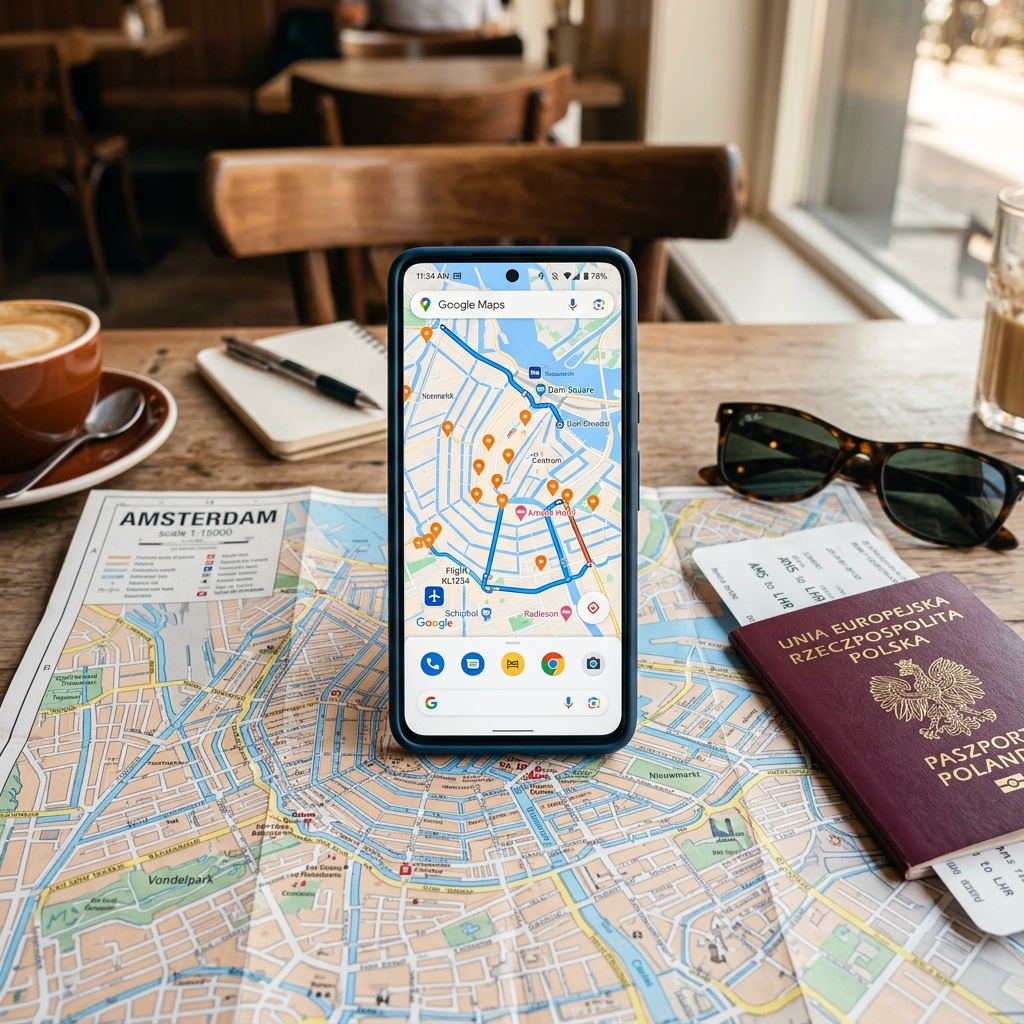
Your phone is the most versatile travel tool you carry. It replaces a paper map, a phrasebook, a currency calculator, a guidebook, a boarding pass, and a concierge — if you have the right apps installed before you leave.
The problem is not finding travel apps. The App Store has thousands. The problem is that most of them are mediocre, redundant, or designed to monetize your attention rather than solve your problems. After researching dozens of apps across six continents and more countries than I can count efficiently, these are the ones that actually justify the storage space.
Every app listed here has been used in real travel conditions — spotty wifi, foreign SIM cards, unfamiliar transit systems, and the particular urgency of needing information now, not after a loading screen.
Navigation and Maps
Google Maps (Free — iOS, Android)
Google Maps is the default for a reason. Directions, transit schedules, restaurant reviews, opening hours, and offline maps in one app. The offline maps feature is the critical function for travelers — download the map for your destination region before departure and it works without data for driving, walking, and searching for places.
What it does best: Transit directions in major cities worldwide. Type in your destination, tap the transit icon, and it tells you which bus, train, or metro to take, which stop to get off at, and when the next one arrives. This works in most European, Asian, and North American cities with remarkable accuracy.
Where it falls short: Rural areas in developing countries often have incomplete map data. Restaurant reviews skew tourist-heavy in popular destinations.
Organic Maps (Free — iOS, Android)
A fully offline, open-source alternative to Google Maps based on OpenStreetMap data. No internet connection needed at all — ever. Maps are detailed, include hiking trails, and the app uses no tracking or analytics.
Use this as your backup when Google Maps requires data you do not have. It is particularly strong for hiking trails and rural areas where OpenStreetMap’s community-contributed data often exceeds Google’s coverage.
Citymapper (Free — iOS, Android)
For major cities, Citymapper is better than Google Maps for public transit. It shows real-time departures, suggests the best carriage to stand in for your exit, and offers route options that Google misses — including combinations of walking, transit, and bike-share that are often faster.
Available in 100+ cities including London, Paris, New York, Tokyo, Berlin, Madrid, and most major European and North American cities. If your destination is covered, install it.
Flights and Transport
Google Flights (Web app — no install needed)
The best flight search engine, period. Flexible date views show you the cheapest days to fly across an entire month. The price graph reveals seasonal patterns. Price tracking sends alerts when fares drop. The “Explore” feature shows the cheapest destinations from your home airport on a map.
Bookmark it rather than installing a dedicated app. It works flawlessly in mobile browsers and avoids taking up storage space.
Skyscanner (Free — iOS, Android)
Skyscanner’s strength is its “Everywhere” search — enter your departure city, select “Everywhere” as the destination, and it shows the cheapest flights to every destination sorted by price. It also catches budget carriers that Google Flights occasionally misses, particularly in Asia and the Middle East.
Use Google Flights as your primary search tool and Skyscanner as your cross-reference. Between the two, you will find the lowest available fare.
Trainline (Free — iOS, Android)
The best app for booking European train tickets. Covers 270+ operators across 45 countries, stores tickets digitally, and shows real-time delays. The interface is cleaner than any national rail app, and it often surfaces split-ticketing options that save money on UK routes.
If you are planning a European train trip, this is the booking app to use.
Rome2Rio (Free — iOS, Android)
Enter any two points on earth and Rome2Rio shows you every way to get between them — flights, trains, buses, ferries, and driving — with estimated costs and times for each option. It is the best tool for answering “What is the cheapest or fastest way to get from A to B?” when A and B are in different countries.
Language and Communication
Google Translate (Free — iOS, Android)
The camera translation feature alone justifies the install. Point your phone at a menu, sign, or document in a foreign language and see a real-time translation overlaid on the image. It is not perfect, but it is good enough to navigate restaurant menus in Japan, read train schedules in China, and understand pharmacy labels in the Middle East.
Download offline language packs before departure. The app handles 133 languages and the offline packs are 30 to 50 MB each. Camera translation works offline for many languages.
WhatsApp (Free — iOS, Android)
WhatsApp is the default communication app in most of the world outside North America. In Europe, South America, Africa, the Middle East, and much of Asia, businesses, tour operators, guesthouses, and taxi drivers communicate via WhatsApp. You will need it to confirm bookings, arrange pickups, and contact local services.
It works on wifi without a local phone number, making it functional even before you get a local SIM.
Money and Budgeting
Wise (Free — iOS, Android)
Formerly TransferWise. The Wise debit card offers mid-market exchange rates with no foreign transaction fees and low conversion costs (0.35 to 1 percent depending on currency). It is the cheapest way to spend money abroad for most travelers.
Hold multiple currencies in the app, convert when rates are favorable, and spend directly with the card. ATM withdrawals up to $100/month are free, with a small fee above that threshold. The app shows your spending by category, which doubles as a budget tracker.
XE Currency (Free — iOS, Android)
A simple, reliable currency converter that caches exchange rates for offline use. Set your home currency and your destination currency, and it provides instant conversions. The interface is fast and uncluttered — it does one thing and does it well.
Trail Wallet (Paid, $4.99 — iOS)
The best dedicated travel budget tracker. Set a daily budget, log expenses by category, and see at a glance whether you are on track. It calculates your daily average spending and projects whether your money will last for your planned trip duration.
Worth the $5 if you are on a strict budget. Our guide to traveling internationally on a budget covers the broader strategy for keeping costs down.
Safety and Practical Tools
VPN App (NordVPN or ExpressVPN — Paid)
A VPN protects your data on public wifi and lets you access streaming services and websites from home while abroad. For travelers who use hotel wifi, airport networks, and cafe connections — which is most travelers — this is a practical security measure.
Both NordVPN and ExpressVPN cost $3 to $8 per month on annual plans and take five minutes to set up.
TripIt (Free/Pro — iOS, Android)
Forward your confirmation emails to TripIt and it builds a master itinerary with all your flights, hotels, car rentals, and activities in chronological order. The Pro version ($49/year) adds real-time flight alerts, seat tracking, and alternative flight suggestions when delays occur.
The free version covers most needs. The Pro version is worth it for travelers with complex, multi-segment itineraries.
Airalo (Free — iOS, Android)
Buy eSIM data plans for 200+ countries directly in the app. Prices start at $4.50 for 1GB and are almost always cheaper than buying a physical SIM at the airport or using international roaming. Your phone needs to support eSIM (most phones from 2020 onward do).
Buy and activate your eSIM before you land. You will have data the moment you turn off airplane mode.
Packing and Organization
PackPoint (Free — iOS, Android)
Enter your destination, travel dates, and planned activities, and PackPoint generates a customized packing list. It accounts for weather forecasts, dress codes, and activity-specific gear needs. Use it as a starting point and customize from there.
Pair it with our carry-on packing list for a comprehensive approach to traveling light.
Hardware That Makes Your Apps Work Better
Your apps are only as good as the device running them. A few accessories make the difference between a phone that lasts all day and one that dies at 2pm:
- Anker 20,000mAh power bank — Charges your phone four to five times. Essential for long transit days, overnight buses, and destinations where outlets are scarce. Around $40.
- Universal travel adapter with USB-C — One adapter covering US, EU, UK, and AU plug types with built-in USB ports. Replaces four adapters and a separate charger.
- Phone mount for car/bike — If you are renting a car, scooter, or bicycle abroad, a secure phone mount turns Google Maps into a proper GPS navigation system.
The Setup Checklist
Before you leave for any international trip, do this:
- Download offline Google Maps for your destination region
- Download offline language packs in Google Translate for your destination language
- Install and activate your eSIM via Airalo
- Set up your Wise card and load it with your destination currency
- Download your airline’s app and add boarding passes to your phone wallet
- Install a VPN and test it on your home wifi
- Save your accommodation confirmations and emergency contacts in a note accessible offline
Do all of this on your home wifi before you leave. Airport wifi is unreliable, slow, and crowded. The time to set up is before you need the tools, not after.